You’ve heard a picture is worth a thousand words. For roofing contractors, that picture can be worth a thousand dollars. Sometimes a lot more than that. Most roofing contractors lose jobs before they ever get a chance to lose them on price. The proposal takes too long, the homeowner moves on, and nobody knows why the close rate is soft.
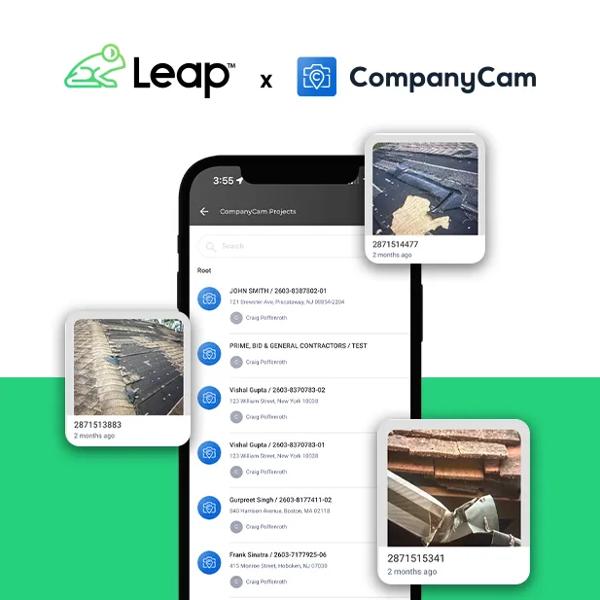
Leap is a leading platform for residential roofing contractors, covering estimating, sales, job management, and payments in one connected workflow. CompanyCam is a photo and project documentation platform built for contractors. Together, they give roofing teams everything they need to document jobs, close on-site, and protect their margin from the first inspection to the final invoice.
Leap and CompanyCam ran a live webinar on exactly this. Jon Marigliano, National Sales Manager at Leap, and Kevin Cairns, Senior Integrations Manager at CompanyCam, walked through how a connected documentation and sales workflow changes the way roofing teams close jobs.
The Real Problem Isn’t Your Sales Team
Contractors who struggle to close consistently usually point to their reps. More often, the bottleneck is the workflow itself. A rep can nail the appointment and still lose the job if the proposal takes three days to land. The homeowner cools off, another contractor gets in the door, and the opportunity is gone, even if your rep did everything right.
Jon Marigliano said it plainly:
Most of these companies don’t have a selling problem. They have a workflow and a speed problem.
Where Most Roofing Businesses Are Stuck
Jon walked through three stages during the webinar. Stage 1 is pen and paper: slow, fragmented, and days between the inspection and a delivered proposal. Stage 2 is where most companies sit today: apps and a CRM, but tools that don’t communicate. As Jon put it, “It feels digital, but it still behaves very manual. You’ve reduced paper, but you still haven’t removed the friction.”
Stage 3 is where everything connects. CompanyCam photos live directly inside Leap, the whole team works from the same job record, and the contract gets signed on-site the same day.
Ready to Get Started?
Schedule a DemoHow Much Does Poor Documentation Cost Roofing Contractors?
The cost shows up in more ways than most contractors expect. Three examples we broke down in the webinar:
- $70,000 lost on a single job. No documentation for completed work. The homeowner disputed it, and without photos to prove otherwise, the contractor had to tear off and redo the section.
- An hour wasted every single day. Crews and admins uploading photos, filling out forms, and logging job details after hours. Hundreds of hours gone across a season.
- Hundreds of thousands in unwinnable damage claims. Paid out year after year on disputes they couldn’t disprove because there was nothing to show.
The contractors above paid the price for it. As Kevin Cairns put it,
Documentation isn’t overhead. It’s insurance.
How Do Leap and CompanyCam Work Together for Roofing Contractors?
When Leap and CompanyCam are connected, documentation becomes part of the workflow, not an afterthought.
- Creating a job in Leap CRM automatically creates the project in CompanyCam, so the two systems stay in sync from the start.
- Every photo taken in CompanyCam pushes straight to the Leap job file, where reps can pull them directly into a professional inspection report or proposal on-site during the first visit.
- Production sees the same photos already attached to the job when it moves their way.
- When the job moves to close, Leap generates a personalized customer web page where homeowners can view job photos, their financial breakdown, scheduled dates, invoices, and financing options, and leave a Google review.
Getting Started Without Overwhelming Your Team
Both Jon and Kevin had the same advice: start small.
Start with one habit on every job: a pre- and post-walkthrough photo. Capture the site before work begins and after it wraps. That single process covers disputes, insurance, and quality control immediately, without a heavy lift for your crew.
From there, build out your workflow in Leap CRM: proposals, job files, reporting. Then sync CompanyCam to connect documentation and production. Add functionality as your team gets comfortable.
Want to See How It Works?
Book a demo and we’ll walk you through the Leap and CompanyCam integration live.