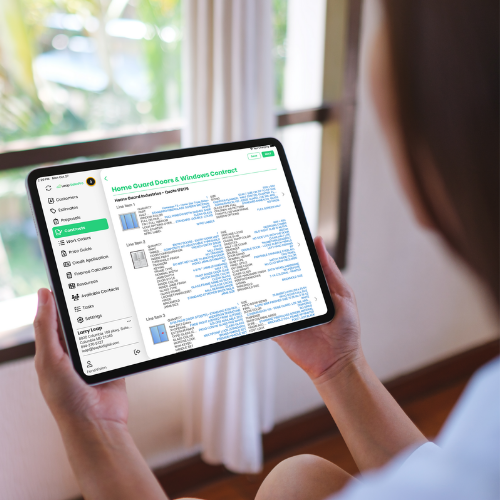
Leap has partnered with Home Guard Industries to deliver a fully integrated in-home sales tool for contractors.
By connecting Home Guard’s complete window and door product catalog directly to Leap SalesPro through our FeneVision integration, contractors can manage the in-home sales process and move accurate order data into production without switching systems.
This integration gives sales teams the ability to configure, price, and quote Home Guard products in real time during the appointment. Once the quote is finalized and the contract is signed, order details, including SKUs, styles, sizing, and custom options, push directly into Home Guard’s FeneVision ERP for order processing.
The result is tighter alignment between sales, operations, and production, and fewer errors that impact timelines and margins.
An In-Home Sales Tool for Home Guard Dealers
Home Guard’s catalog is fully integrated into SalesPro, allowing reps to build accurate quotes with current pricing and validated product combinations. Measurements, product options, and upgrades are captured on-site in a system designed to prevent incompatible selections before they become ordering issues.
During the visit, reps can:
- Build detailed window and door estimates
- Generate professional digital contracts
- Capture complete product and SKU data
- Prepare orders for direct submission into FeneVision
Once the homeowner signs, that same data flows into the ordering system. There is no duplicate entry and no disconnect between what was sold and what gets produced.
Reducing Errors Between Sales and Operations
Disconnected tools often create unnecessary friction between the sales team and the office. Re-entered data increases the risk of mistakes, delays, and margin loss.
With Leap and Home Guard connected, quoting and ordering operate within the same workflow. The result is stronger alignment across teams and greater confidence in every submitted order.
This partnership helps window and door contractors simplify the path from in-home quote to production-ready order, reducing manual steps and improving accuracy throughout the process.
Together, Leap and Home Guard are delivering a sales and estimating workflow that supports efficiency, consistency, and growth for window and door contractors.
See the Workflow in Action
Leap and Home Guard hosted a live demo of the integration, walking through the process from in-home quote to production-ready order.
The session covers product configuration, real-time pricing, digital contract generation, and the full transition from signed agreement to production-ready order. If you are interested in seeing what this could look like for your team, talk to our team.